crm for sales process optimization: boost efficiency
Discover how crm for sales process optimization can improve your sales efficiency. Start implementing strategies today.

Rasmus Rowbotham
Founder of Foundbase and experienced entrepreneur with over 10 years of experience in building and scaling businesses.
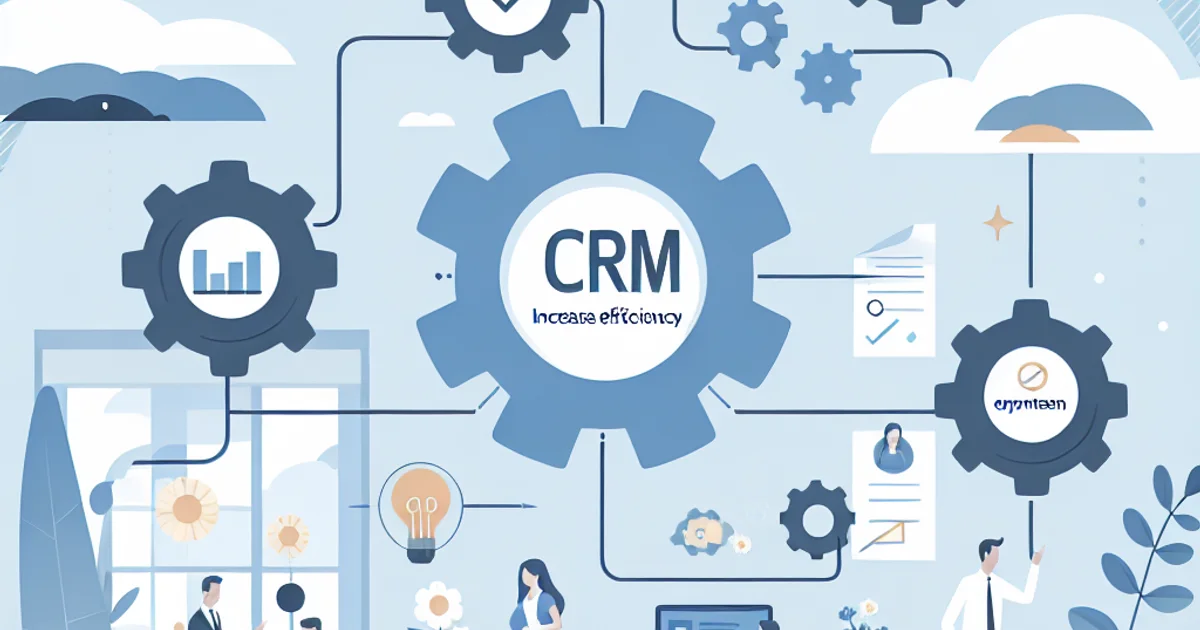
The ultimate guide to using CRM for sales process optimization
For founders and small teams, optimizing the sales process can feel like an uphill battle. The right CRM (Customer Relationship Management) system can be a game-changer, streamlining your workflow and boosting efficiency. This guide dives into CRM for sales process optimization, offering practical insights tailored to small businesses and startups.
The practical framework for CRM sales process optimization
Implementing CRM effectively requires a structured approach. Here's a step-by-step workflow to ensure success:
Step 1: Define your sales process
Understand your current sales stages, from lead generation to closing. Document each step, including tasks, responsibilities, and outcomes. This clarity is vital for configuring your CRM to reflect and enhance your unique process.
Step 2: Choose the right CRM
Select a CRM that aligns with your business needs. Consider scalability, ease of use, and integration capabilities with tools you already use. Platforms like Salesforce or HubSpot offer diverse features, but the right choice depends on your specific requirements.
Step 3: Data migration and cleansing
Before moving your data, clean it to ensure accuracy. Duplicate entries and outdated information can clutter your CRM, hindering effectiveness. A clean slate means a more efficient system.
Step 4: Customize the CRM to your workflow
Tailor the CRM to fit your sales process. Customize fields, stages, and automation rules to match your needs. This step ensures that the CRM supports your team rather than complicating processes.
Step 5: Train your team
Your CRM is only as effective as the people using it. Invest in training to ensure your team understands how to leverage the CRM fully. Focus on key features that align with day-to-day tasks.
Step 6: Automate repetitive tasks
Use CRM automation to handle routine tasks like follow-up emails or data entry. Automation frees up time for your team to focus on high-impact activities, like closing deals.
Step 7: Monitor and adjust
Regularly review CRM reports and dashboards to track performance. Adjust workflows and strategies based on data-driven insights to continually optimize your sales process.
Example scenarios
Let's explore a couple of scenarios where CRM optimization plays a crucial role:
Scenario 1: A tech startup with a lean team
With just three salespeople, this startup struggles to manage leads effectively. By implementing a CRM and automating lead scoring, they prioritize high-potential prospects, improving conversion rates and reducing lead response time.
Scenario 2: An e-commerce company with fluctuating sales
This company experiences seasonal sales spikes. A CRM helps them track customer interactions and purchase history, enabling personalized marketing during peak periods. Automation tools ensure consistent communication without overwhelming the sales team.
Common mistakes in CRM for sales process optimization
Many beginners fall into these traps when optimizing their sales process with a CRM:
Mistake 1: Overcomplicating the setup
Complex configurations can overwhelm users. Start simple and gradually introduce advanced features as your team becomes more comfortable.
Mistake 2: Ignoring user feedback
Failure to consider team feedback can lead to low adoption rates. Regularly solicit input to refine the system to better meet user needs.
Mistake 3: Inadequate training
Underestimating the importance of training results in poor utilization. Continuous learning opportunities help users stay updated on CRM capabilities.
Mistake 4: Neglecting data quality
Poor data management leads to unreliable insights. Implement regular data audits to maintain accuracy and relevance.
Mistake 5: Focusing solely on technology
The CRM is a tool, not a strategy. Ensure it aligns with business goals and integrates seamlessly with your overall sales strategy.
Options & trade-offs in CRM selection
Choosing between CRM options involves considering trade-offs:
Option 1: All-in-one solutions
These CRMs offer comprehensive features but may overwhelm small teams. Best fit for businesses anticipating rapid growth. Downsides include higher costs and potential feature overload.
Option 2: Modular CRMs
Modular systems allow you to add features as needed, ideal for startups with fluctuating needs. However, they may require more initial setup and planning.
Timeline & effort for CRM implementation
Implementing a CRM is a phased process:
Phase 1: Planning and selection (2-4 weeks)
Research and choose a CRM that fits your needs. Consider user feedback and integration capabilities during this phase.
Phase 2: Data migration and setup (3-6 weeks)
Prepare your data and configure the CRM. This phase may encounter bottlenecks if data is not clean or if there are integration challenges.
Phase 3: Training and rollout (2-4 weeks)
Train your team and deploy the CRM. Expect some adjustment time as users familiarize themselves with the new system.
Costs associated with CRM implementation
Costs vary based on several factors, including:
CRM selection
Subscription fees vary widely. Basic plans may start low, but advanced features can increase costs significantly.
Customization and training
Initial customization and training can incur additional expenses, especially if external consultants are involved.
Long-term maintenance
Ongoing support and updates are necessary to keep the CRM running smoothly. Budget for these recurring costs.
Wrap-up and next steps
Optimizing your sales process with CRM is a strategic investment. To get started:
- Define your current sales process and identify areas for improvement.
- Choose a CRM that fits your business needs and budget.
- Ensure clean data migration and customize the CRM to your workflow.
- Invest in training to maximize CRM utilization.
- Continuously monitor and refine your processes based on CRM insights.
For more detailed guidance on CRM features and selection, visit Foundbase.io.
Frequently asked questions
Q: How can CRM optimize our sales process?
CRM can optimize the sales process by centralizing customer data, automating tasks, and providing insights into sales performance. This makes it easier to identify bottlenecks and improve the customer journey.
Q: What features should we look for in a CRM solution for sales optimization?
An effective CRM solution for sales optimization should include features like lead management, sales task automation, reporting and analytics, and integration with existing tools.
Q: Can CRM help improve our customer service?
Yes, CRM can enhance customer service by providing a comprehensive view of customer interactions, enabling sales teams to offer more personalized and efficient support.
Related guides
Crm customer feedback integration: enhance your strategy
Discover how to integrate customer feedback into your CRM system to enhance customer satisfaction and refine your strategy.
Rasmus Rowbotham
crm adoption strategies for startups: success
Unlock the secrets to effective crm adoption strategies for startups. Overcome challenges and implement successfully with our expert guide.
Rasmus Rowbotham
crm for remote startups: boost your sales
Learn how crm for remote startups can optimize your team's collaboration and sales. Get insights into the best tools and strategies.
Rasmus Rowbotham